LCD Selection for small projects
There are a ton of LCDs for small projects and travel - which ones are worth considering?
The basics
Small LCDs are kind of a mixed bag in that they are more often ‘speciality’ parts compared to the typical computer LCD which tries to connect to anything and everything, so always consider first - what do you want to connect?
Yes, that’s also true for normal computer displays to some point, but really mostly only once you’re jumping to latest tech like if you really must have a Thunderbolt port. On embedded devices, On (some) Raspberry Pis you have an option of ribbon cable connection via a MIPI (Mobile Industry Processor Interface) which is also often used to connect cameras.
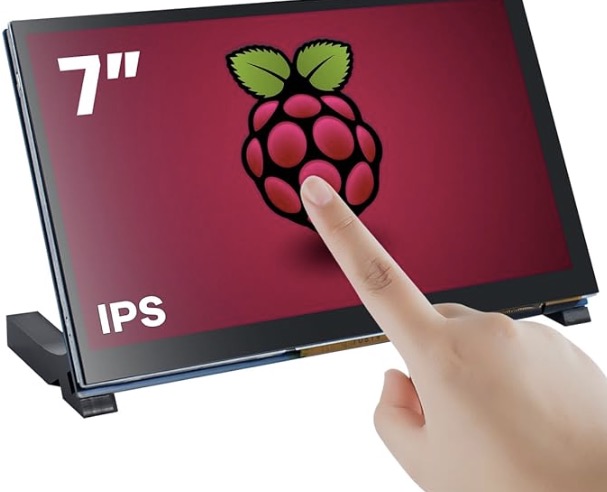
The 7” display shown below is a MIPI interface and good - if that is what you need.
Or we can keep things a bit more generic
For me, I have quite a few NUCs, TinyPCs, and embedded boards, and I never really am sure when something new will wind up coming into the stable. I’ve built demo kits for shows including embedded devices, which may at times connect to more typical screens, but also try to keep them able to give an ‘on demand’ demonstration which is where the smaller screens come into play, as well as for general use.
You can get some more ‘traditional’ connection small displays.
For me, I have quite a few NUCs, TinyPCs, and embedded boards, and I never really am sure when something new will wind up coming into the stable. I’ve built demo kits for shows including embedded devices, which may at times connect to more typical screens, but also try to keep them able to give an ‘on demand’ demonstration which is where the smaller screens come into play, as well as for general use.
This is where you can take a look across the devices you have or plan to be using, and make a bit of an educated decision - consider size, resolution, and connectivity, as well as if you want to mount the compute device behind the screen or not and if the display will support this.
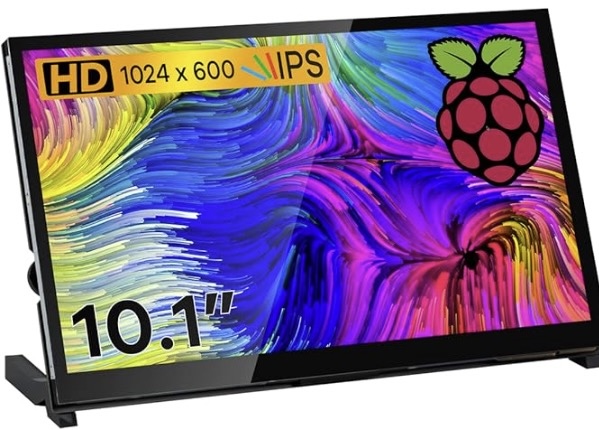
My personal first pick for sane portability, resolution, and connectivity is a 10” display at roughly 1024p resolution. It’s usually large enough for text, UI elements, or even media playback, but still portable - and they start to offer a bit more connectivity options making them re-usable across devices.
The 10” display to the right has HDMI while the recent PIs and many other embedded boards come with either micro-HDMI or HDMI connectors, as well as allowing for example travel use on your laptop or other systems. It’s reasonably priced, comes with adapters for micro-HDMI to HDMI, and you can attach a Pi or potentially other board to the backside if desired. Whilethis one doesn’t allow direct USB-C for video purposes, USB-C to HDMI cables if needed are quite inexpensive. Oh - and you can choose to either use the touchscreen capabilities or ignore them entirely. A decent starting point for most projects, IMO.
The good news is i nthe worst case, most Amazon returns are easy. They personally do annoy me from time being wasted, so it’s still worth trying to plan out your display needs in advance, but if it doesn’t work out, at least you can ‘try again’ via exchange/return in most cases.